
How inclusive counting works
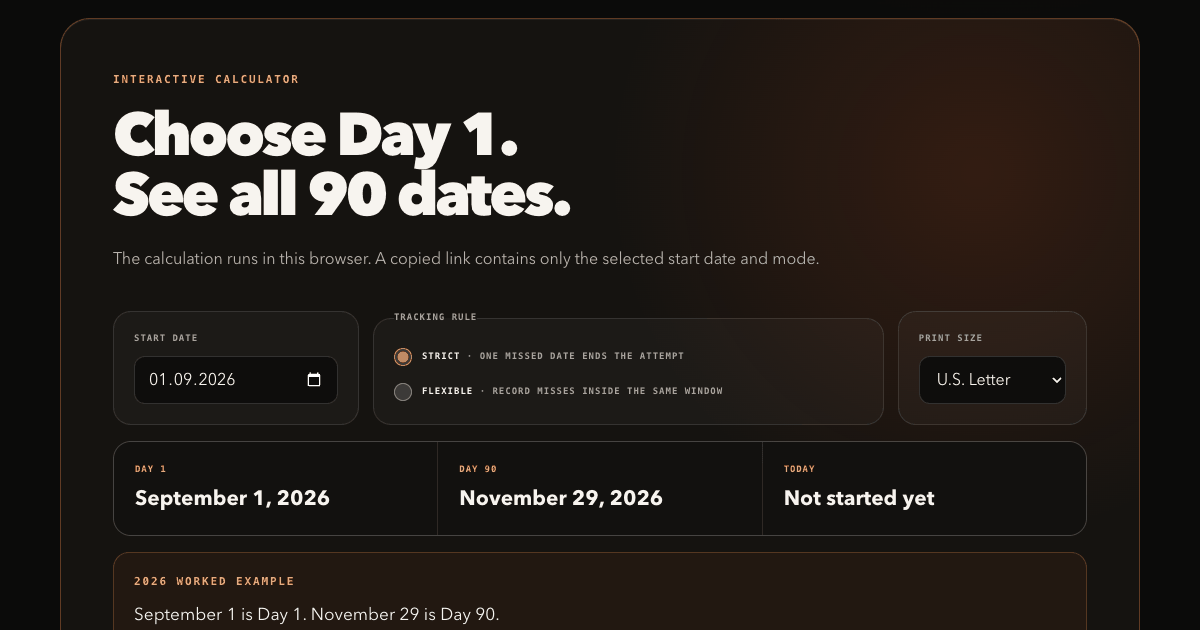
The selected start date is Day 1, not Day 0. The calculator adds 89 calendar days to reach the ninetieth included date. In a non-leap year, January 1 through March 31 contains exactly 90 dates when January 1 is counted as Day 1.
The tool uses civil calendar dates rather than midnight timestamps, so daylight-saving changes do not move the displayed date. It also includes February 29 when a challenge crosses leap day.
Check your dates with two examples
- October 1, 2026 → December 29, 2026. October contributes 31 dates, November 30, and December 29: 90 included dates.
- January 1, 2028 → March 30, 2028. In this leap year, January contributes 31 dates, February 29, and March 30. February 29 counts as a required day in a strict attempt.
Enter either start date above to check the result. For your own attempt, choose the tracking rule before printing. A shared calendar link includes the date and mode, but it does not store completed days or journal entries.
Ninety days is not always three months
Calendar months contain different numbers of days. “Three months from today” and “Day 90” can therefore land on different dates. This calculator counts exactly 90 dates and displays the result explicitly.
Strict or flexible: choose before Day 1
Strict consecutive days
Every calendar date requires completion. One miss ends that attempt, and the next completed run begins with a new Day 1.
Flexible 90-day window
The end date stays fixed. Missed days remain visible, but they do not end the window. This means a 90-day window, not necessarily 90 completed actions.
The iPhone app applies its strict rule to a daily reflection: an opportunity, a gratitude, and three wins. This website calendar can record a different daily action on paper, but it does not send that action to the app or check it off there. The flexible printable is included because the stricter protocol is not right for every person or every activity.
Print your exact 90-day challenge dates
Use this 90-day calendar to choose any supported start date, select strict or flexible rules, and generate the exact 90 calendar dates for this attempt.
- Print in U.S. Letter or A4 format without entering an email.
- Download a ready-to-print blank PDF immediately.
- Choose Print / Save PDF to create a PDF through your browser’s print dialog.
- Copy a share link containing only the start date and tracking mode.
- See today’s Day N when the selected 90-day window is active.
Use the ready-to-print blank PDF as an immediate 90-day check-off grid, or use Print / Save PDF above to create a personalized calendar with your selected dates and tracking rule.
Need a blank check-off grid without dates? Use the separate printable 90-day habit tracker. If the behavior is still unclear, use the habit rule chooser before generating the calendar.
Choose one measurable daily action
A useful completion rule should be observable. “Be more creative” is hard to mark honestly; “make one sketch” has a finish line. Choose an action that is appropriate to your ability, circumstances, and safety.
Calendar questions
Does the start date count as Day 1?
Yes. That is why Day 90 is 89 calendar days after the start date.
Is 90 days the same as three months?
Not always. Calendar months have different lengths; this tool counts exactly 90 dates.
What happens if the range crosses February 29?
The calculator includes leap day like any other calendar date.
What happens after a missed day?
In strict mode, the attempt ends. In flexible mode, mark the miss and continue through the same end date. The reset guide helps you choose the next action.
Does the calculator save my date?
The calculation runs locally. A copied share link contains the selected start date and mode, but no journal or completion data.